PWA

Mobile apps

A PWA (progressive web app) is a web app I build so it installs on a phone like a real app, without Google Play or the App Store.

How I use PWA

I use it when a client needs an app for staff or customers but doesn't want separate Android and iPhone development.

The client gets one app that runs on Android, iPhone and desktop, with a home-screen icon and push notifications. Updates reach users right away, with no app store review and no reinstalling, and parts of the app keep working on a weak connection.

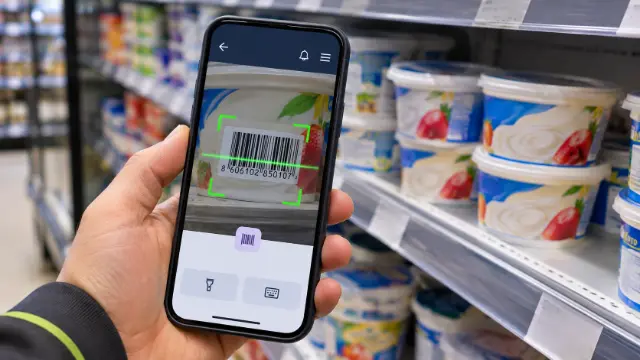
In practice I write the web app manifest with the name, colours and icons, plus a service worker that caches the core screens. In Protokol Alert, staff use the PWA to scan QR codes with the phone camera and sign in with a PIN.

I choose a PWA when an app needs to reach users on every device quickly; when a feature needs deeper access to the phone, I go with React Native or Kotlin. I usually pair it with Next.js or React and a backend such as Supabase or Node.js.

Used in: Protokol Alert (staff app with QR scanning and PIN sign-in), Fakture Online.

Projects using PWA

Websites and apps I built where PWA was used.

  • Protokol Alert — Expiry Date Tracking SaaS

    Protokol Alert — Expiry Date Tracking SaaS

    My own SaaS for tracking product expiry dates in retail. A worker scans the barcode with a phone and enters the date, and the system sends alerts before expiry and shows what to return to the supplier, put on sale or take off the shelf. It consists of a worker app (PWA), an admin panel for stores, suppliers, reports and billing, a backend API with automatic expiry checks, and an Android app. Many stores and companies run in one system, and each sees only its own data. In production since 1 April 2026, tracking about 3,300 products.

  • Fakture Online — Invoicing with SEF Integration

    Fakture Online — Invoicing with SEF Integration

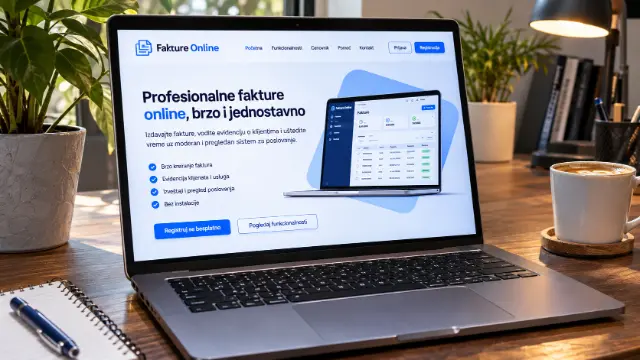
    My own SaaS for online invoicing for freelancers, flat-rate entrepreneurs and small businesses in Serbia. An invoice takes half a minute, goes out by email as a PDF with an IPS QR payment code and straight to SEF, the national e-invoicing system, with an inbox, cancellations and automatic status updates. It tracks who has paid, sends reminders for unpaid invoices, creates recurring invoices and keeps the KPO ledger for flat-rate entrepreneurs. It imports bank statements and matches them to invoices by payment reference. It also works as a phone app, with two-factor sign-in. Built with Next.js and Supabase.

Frequently asked questions about PWA

What is a PWA?

A PWA (progressive web app) is a website that can be installed on a phone or computer and works like a regular app. It has a home-screen icon, opens full screen, can send push notifications and can show some content even without a good connection.

Do PWAs work on iPhone?

Yes, on iPhone a PWA is installed from Safari using Add to Home Screen. Push notifications on iPhone work once the app has been added to the home screen, though some phone features are still easier to reach from a native app.

Do you build PWAs?

Yes, I've built PWAs for Protokol Alert, where staff scan QR codes and sign in with a PIN, and for Fakture Online. A PWA is a good fit when an app has to run on every phone without being published in the app stores.

How much does a website or app built with PWA cost?

It depends on the type of project: 3-in-1 SaaS Platform (Web + Android + Custom) from €7,000; Custom Web Application from €500. These are starting prices; you get the final price and timeline in a written offer by email.

All skills →